What ASODeck does
ASODeck runs in the browser, on any computer. You design by hand in the editor or let your agent work and see every step; ASODeck checks everything and exports every size. The Mac app also captures your app itself and renders videos.
Every image: the real interface, with the sample app Tagton.
01 · DesignBrowser & Mac
By hand, or in one sentence.
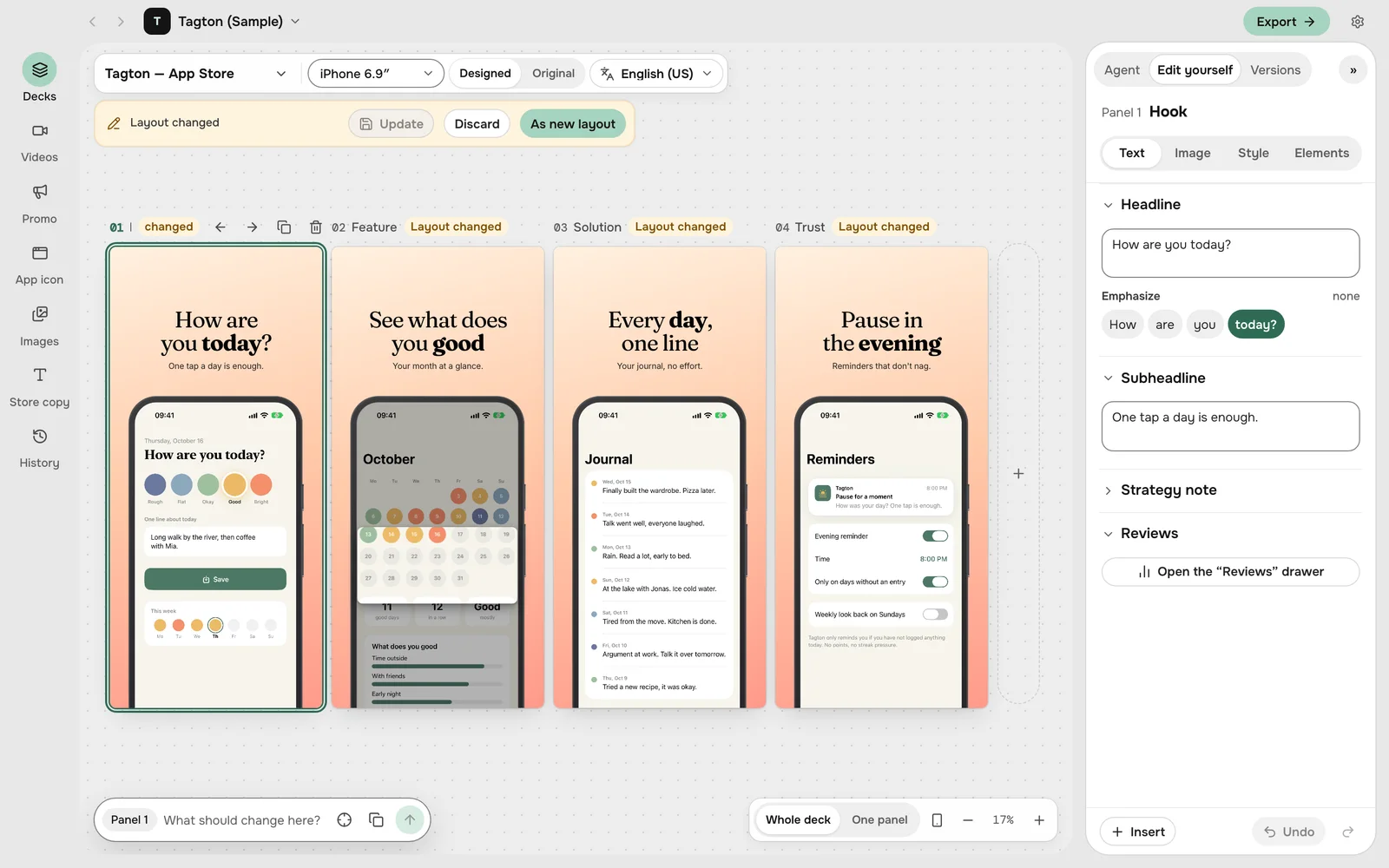
In the editor you type headlines, stress a word, lift a card out and put devices together. Styles come in rounds: five looks for the whole deck, then more like the one you pick. Your agent can do the same in one sentence.
- Designed and original one click apart
- Every change in every store size
- Own device images for iPhone, iPad, watch and Mac
- A sample app to try everything, no images of your own needed
02 · AgentBrowser & Mac
Or your agent does the work.
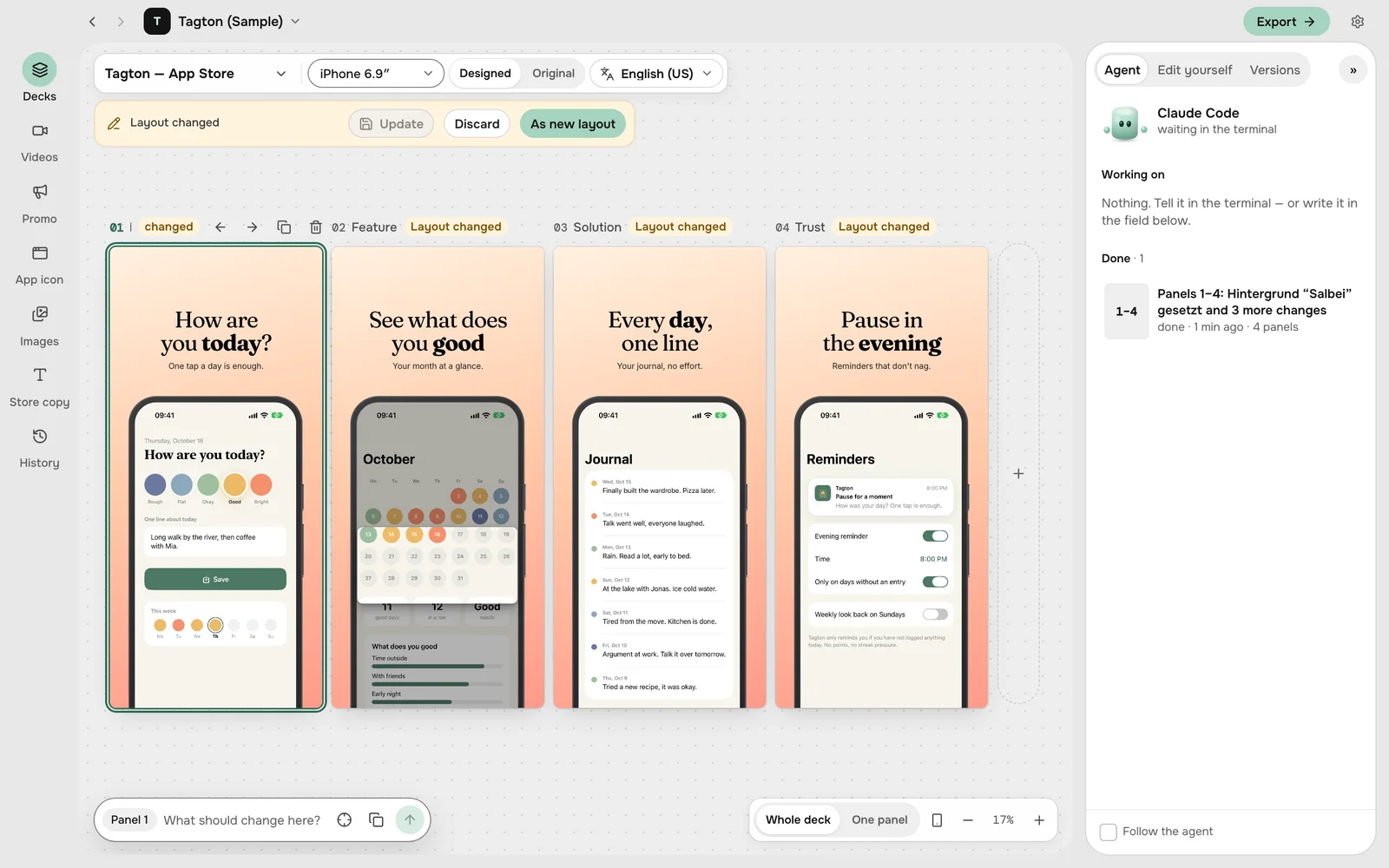
ASODeck is an MCP server. In the browser you connect claude.ai as a connector; Claude Code, Codex, Cursor, VS Code, Gemini CLI or Cline work just the same. They build decks and store copy, and videos too in the Mac app. You see every step and step in whenever you like.
- What the agent is working on, panel by panel
- It asks before it changes a lot
- What you correct, it remembers next time
03 · VersionsBrowser & Mac
Every version is kept.
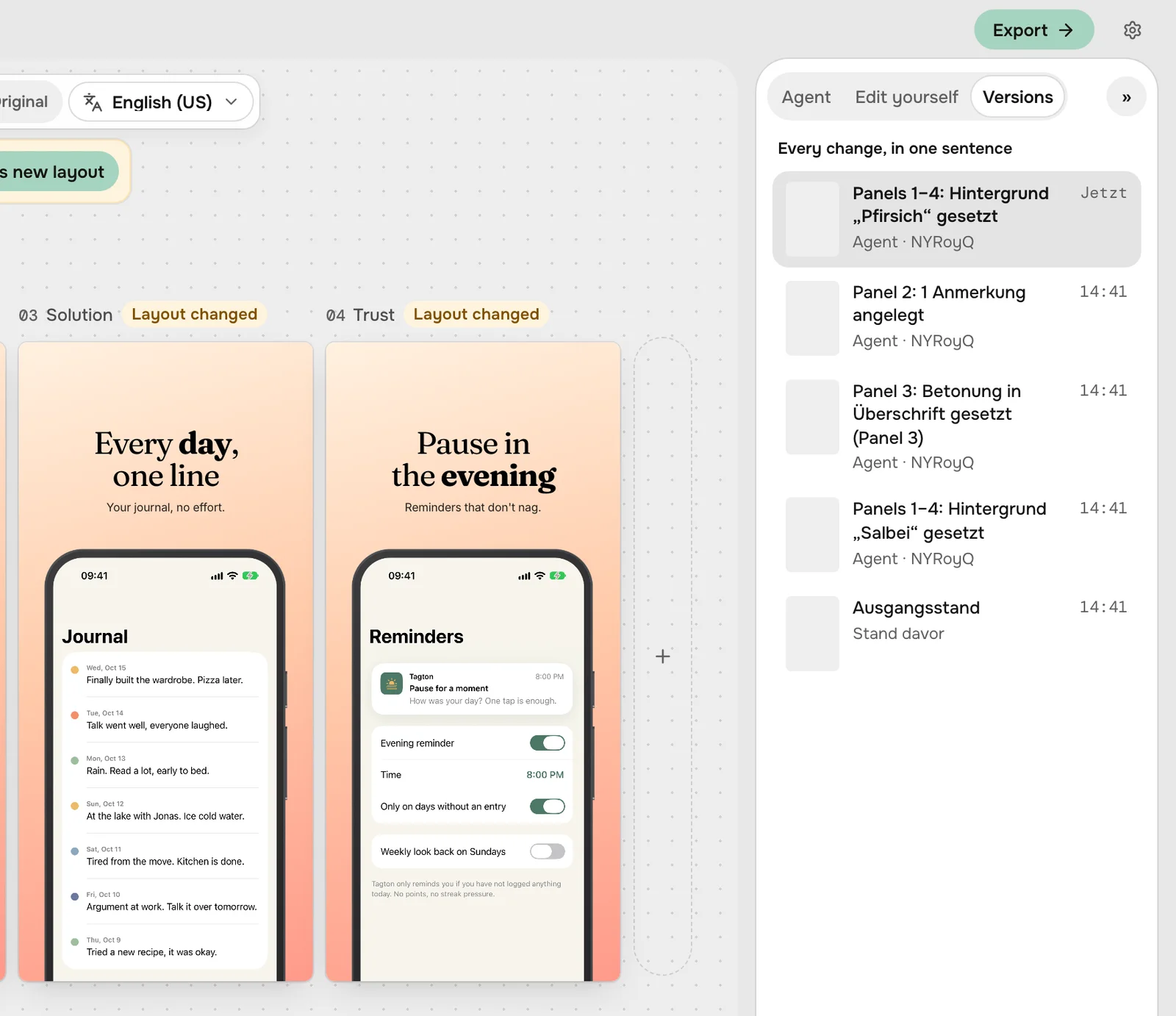
Each version shows what changed and who did it. One click shows it on the stage; restoring puts it on top as a new version.
- For decks, promo sets and videos
- Compare two states side by side
- Including what the agent did
04 · StoreBrowser & Mac
Ready for the store.
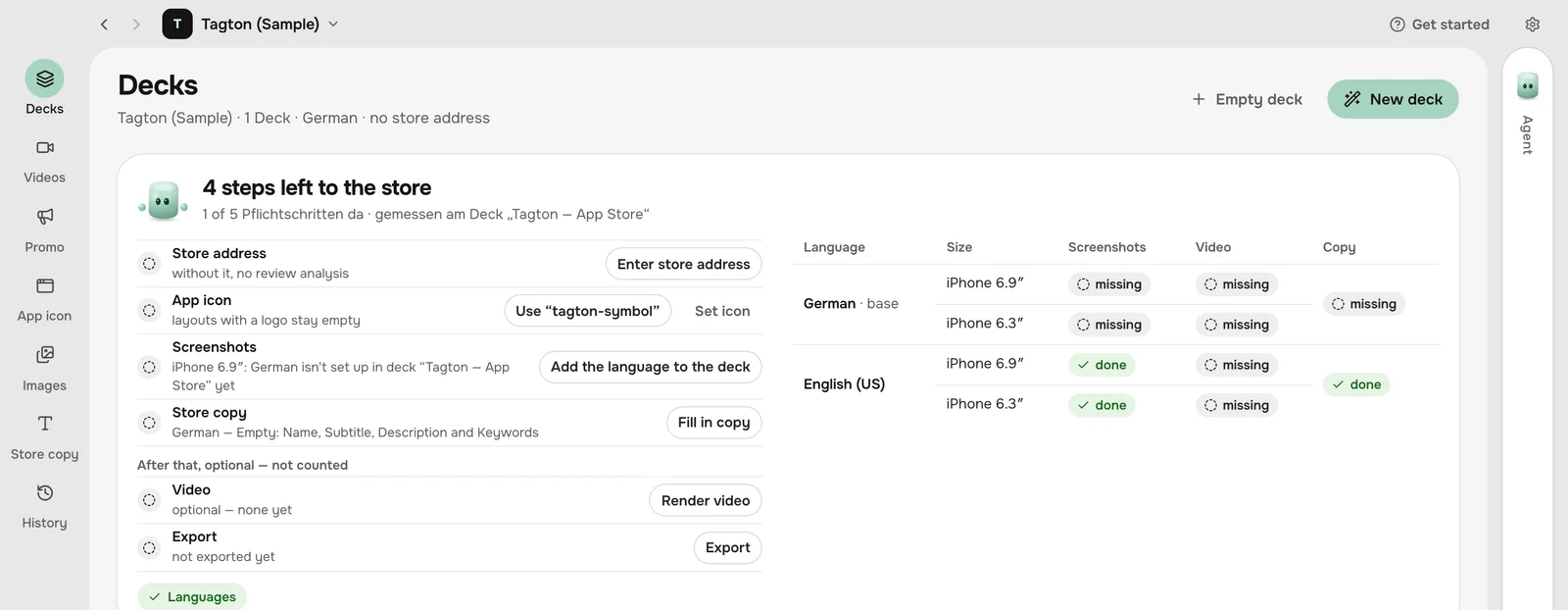
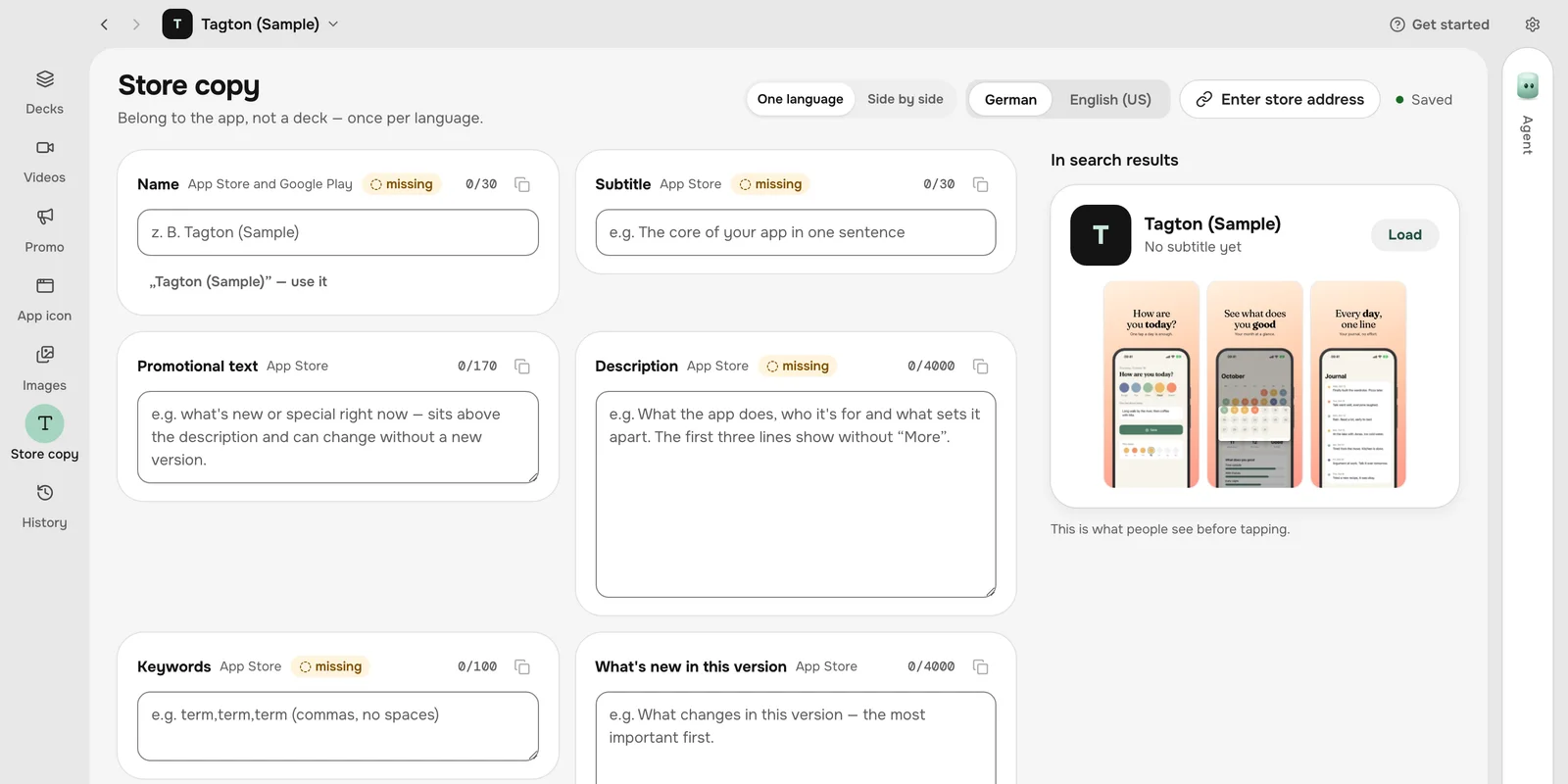
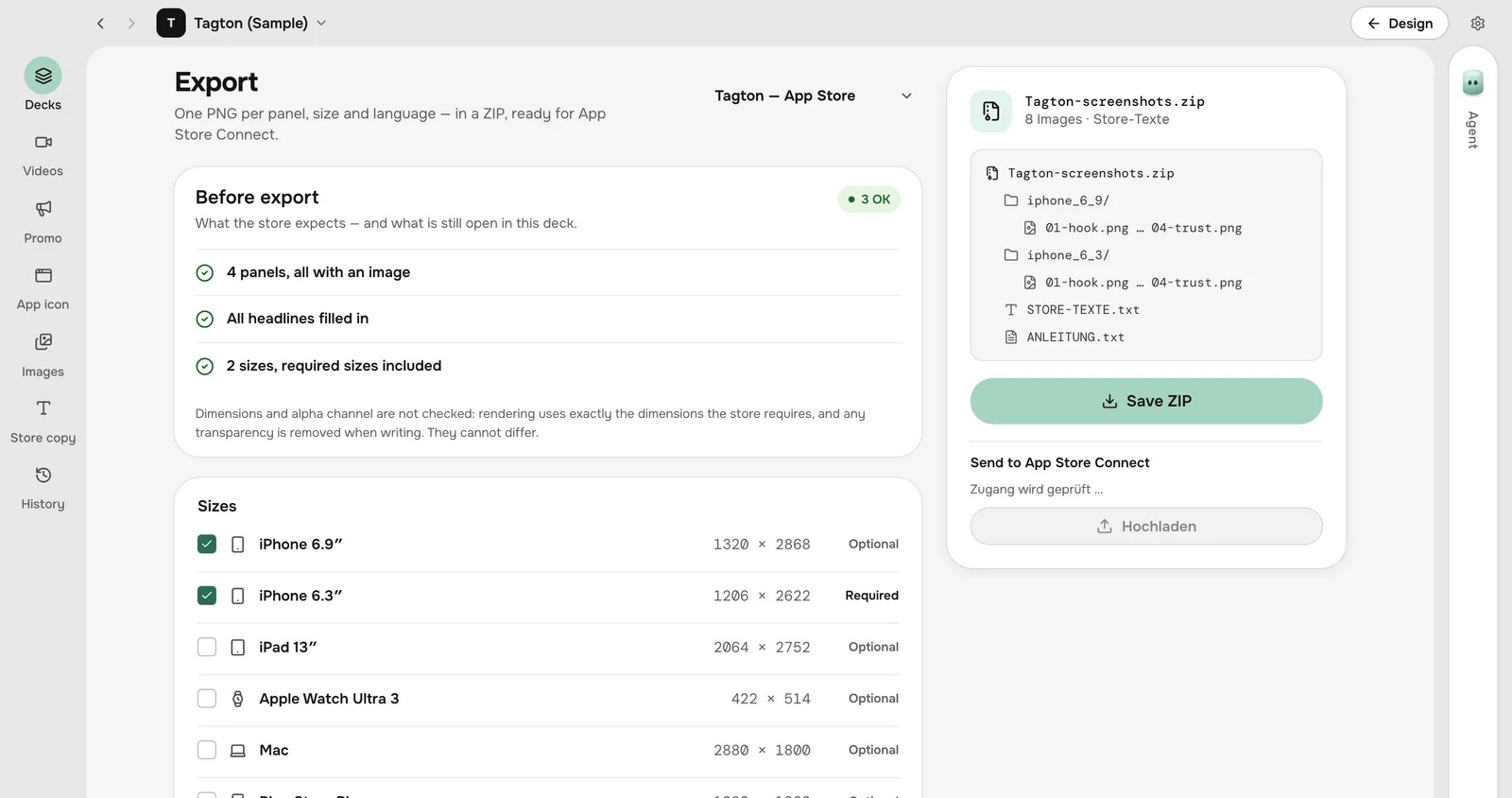
What the store still needs is listed at the top of the deck. Store copy counts up to the limit, in every language. The export puts every size into one ZIP, the way App Store Connect and Google Play want it.
- Required sizes and a check before export
- Translate into every language
- Straight to App Store Connect from the Mac app
05 · LibraryBrowser & Mac
Everything in one place.
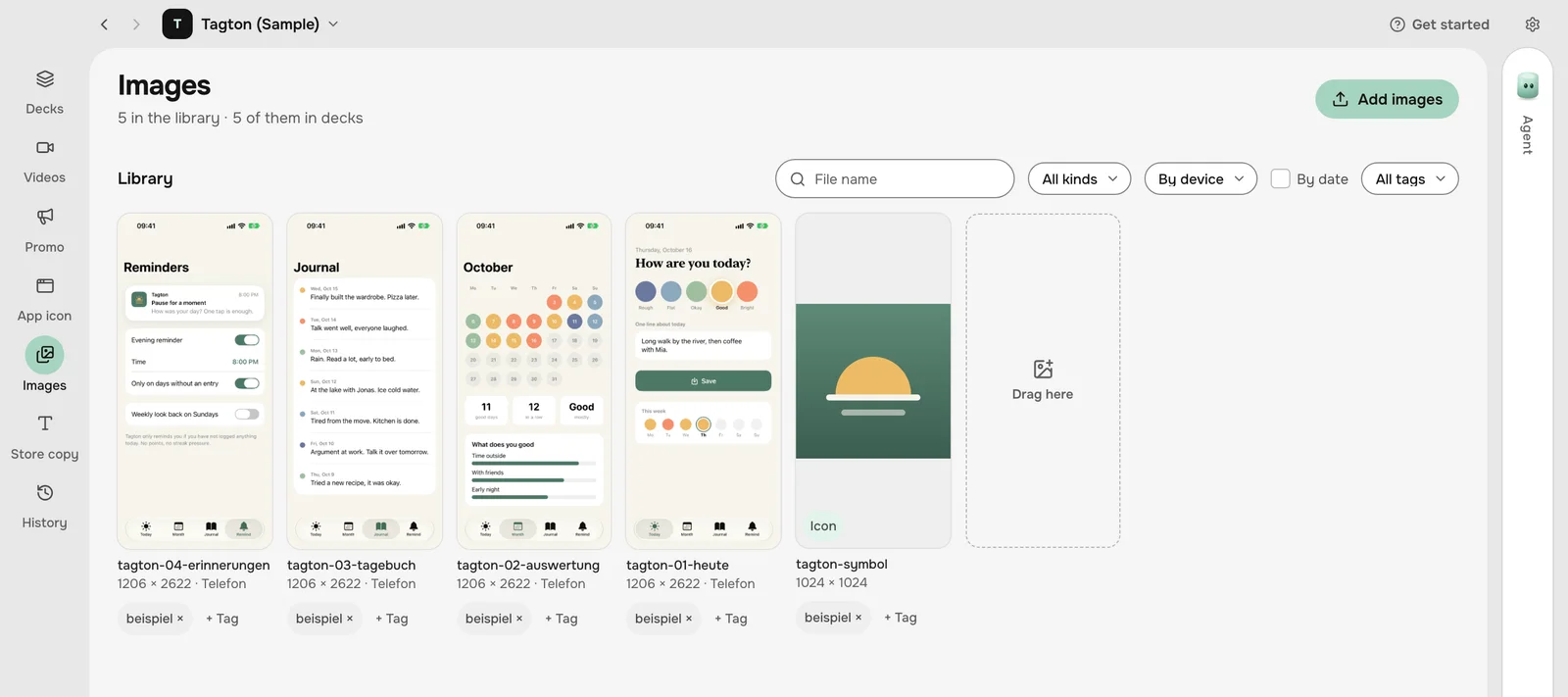
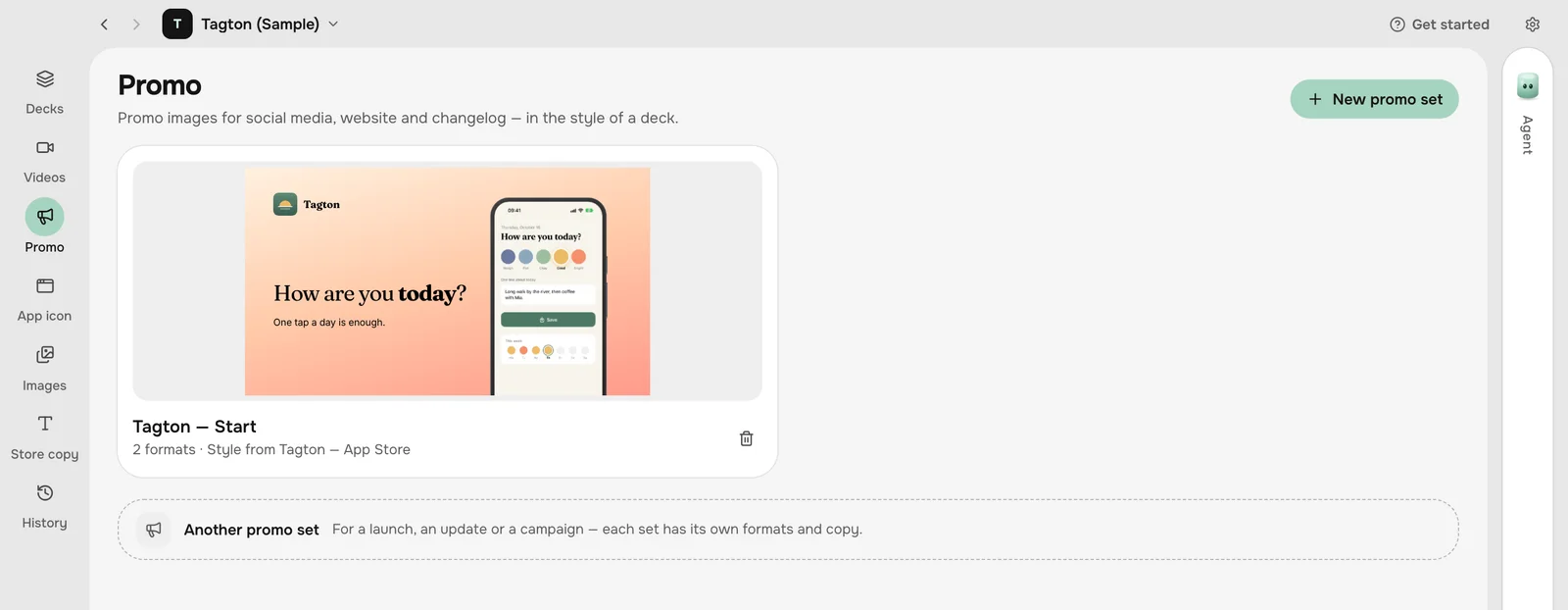
Screenshots, recordings and icons are kept per app, by device and date, and search understands plain sentences. The same deck gives you the promotion: feature graphic, posts, story and header.
- Duplicates are recognised
- Promo sets in the style of the deck
- Design and check app icons
In the Mac app, your agent does the capturing.
For iOS teams: one sentence, and your agent captures the app and renders the video. On your Mac and without an account; everything above works there too.
06 · CaptureMac app
Captured without you tapping.
In the Mac app the agent starts the simulator, taps through your app and captures every screen, in every language, with 9:41 in the status bar. Mac windows and web pages work the same way.
- iOS simulator, Android emulator, Mac windows and web pages
- Rehearses the way to the screen before it captures
- Sample data instead of your real data
07 · VideoMac app
Videos from the same screens.
Four kinds of video, captured in the simulator and rendered on your Mac, no editing app needed: an App Preview in store format, a device with a camera, two devices, or screenshots only.
- Timeline with every track
- Zooms, lifts and taps in motion too
- Checked against the App Store requirements
Try it with your app.
In early access: browser and Mac app, both free.
Get early accessWhat ASODeck does